Developer Tools
KyttoMCP
Local MCP server manager for Claude, Cursor, VS Code and other AI clients
Free, open-source desktop app that manages Model Context Protocol servers locally across multiple AI clients without cloud sync or sign-up.
Overview
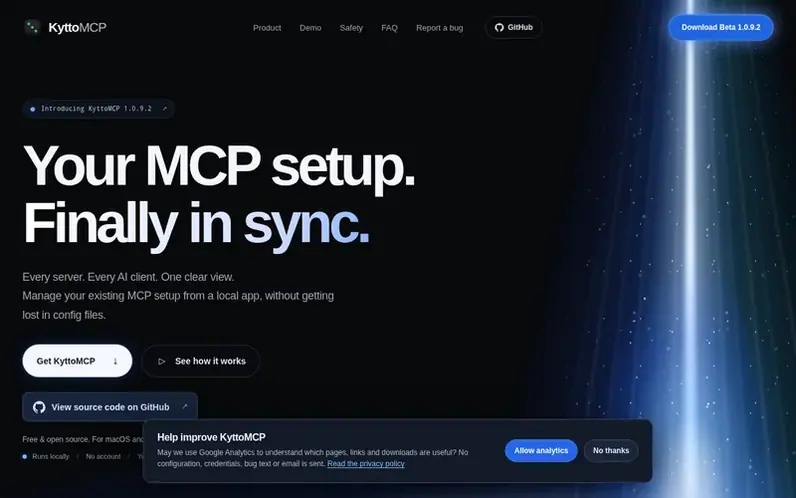
A look at kytto.jakubhecht.sk
KyttoMCP is a local control panel for Model Context Protocol servers that works with Claude Desktop, Claude Code, Cursor, VS Code, Codex, and on macOS also Google Antigravity, Devin Desktop and OpenCode. It reads MCP configuration files already on your computer and shows in one place which servers are enabled in each client, letting you inspect, edit and switch them without manually opening JSON and TOML files.
The app respects each client's own configuration format and rules so changes in one client do not rewrite another. It includes health checks to diagnose server connection issues, profiles to save different MCP stacks for different tasks, timestamped backups of every configuration change, and Contract Guard to alert you when servers change what they tell your model.
KyttoMCP runs entirely locally with no cloud sync, no account requirement, and no upload of your configuration or API keys. The source code is public under the MIT License so you can inspect every request the app makes or build it yourself from source.
Feature notes
- Server matrix showing which MCP servers are enabled across all supported AI clients
- Health checks and MCP Doctor to diagnose server connection failures
- Profiles to save and switch between different MCP stacks for different tasks
- Timestamped backups with atomic writes and external change detection
- Contract Guard to alert when servers change their tool definitions or descriptions
- Built-in catalog and support for custom JSON, JSONC and TOML configuration sources
- Context optimizer measuring tool-schema footprint and proximity to client limits
- Security scanning for invisible characters, credential exposure and malicious prompts in tool definitions
- Optional Gateway mode for supported stdio servers with local routing and native credential storage
- Live Activity logging with metadata-only recording and no payload capture
Pricing
Pricing model: Open source
Free beta with no account or sign-up required. Source code available under MIT License.
Compare and explore
FAQ
- What is KyttoMCP?
- KyttoMCP is a local control panel for Model Context Protocol servers that reads the MCP configuration files already on your computer and shows in one place which servers are enabled in Claude Desktop, Claude Code, Cursor, VS Code and Codex, allowing you to inspect, edit and switch them without opening JSON and TOML files by hand.
- Is KyttoMCP free?
- Yes. Beta 1.0.9.1 for macOS and Beta 1.0.9 for Windows are free with no account, no sign-up and no cloud service. The source code of both apps is public under the MIT License and everything the beta does runs on your own computer.
- Which AI clients does KyttoMCP work with?
- KyttoMCP works with Claude Desktop, Claude Code, Cursor, VS Code and Codex. On macOS, Beta 1.0.9.1 also supports Google Antigravity, Devin Desktop (formerly Windsurf) and OpenCode; Windows support for them is coming soon. Kytto respects each client's own configuration format and rules so changing a server in one client does not silently rewrite another.
- Does KyttoMCP upload my configuration or API keys?
- No. Kytto has no cloud sync and does not upload your configuration, project files or credentials. Your MCP configuration and credentials stay on your computer. When you explicitly use or check a server, the required protocol data and authentication go to the local server process or remote endpoint you configured. The source code is public so you can check every request the app makes.
- Can I undo changes KyttoMCP made?
- Yes. Every write checks whether the file changed outside Kytto, makes a timestamped backup, and then writes atomically. You can browse those backups inside the app and restore an earlier configuration, and the version being replaced is backed up too.
Leave a review for KyttoMCP
No reviews of KyttoMCP yet. Run the first inspection.
Reviews are free and are never paid for. Open the reviews
Reviews and notes · Change log · Share the profile · Maker of this product? Claim the profile · Report a fault
KyttoMCP has a free listing. The owner can unlock the full profile with a paid launch for $5:
- Founder story (locked)
- Milestones (locked)
- Demo video (locked)
- Dofollow website link (locked)
Comparable tools
- AnalogDR 70 · 0 community votes
- PHP Upgrade Risk AuditDR 2 · 0 community votes
- OnyxDR 2 · 0 community votes
- graftforkDR 0 · 0 community votes