SEO tools
ExtractKeywords
Free online keyword extraction tool for text and URLs with instant results, no signup required
ExtractKeywords analyzes text or webpage content using word frequency analysis, stop-word filtering, and multi-word phrase detection to identify important
Overview
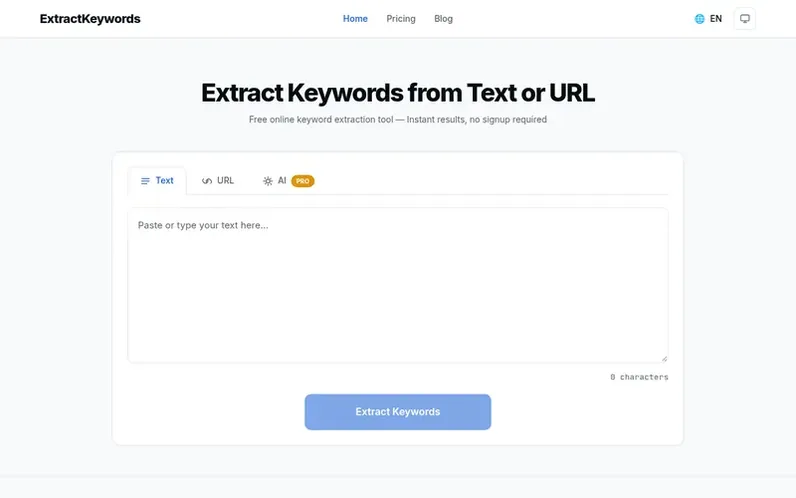
A look at extractkeywords.com
ExtractKeywords is a free online tool designed for SEO professionals, content creators, researchers, and digital marketers. It analyzes text or webpage content to identify the most important keywords and phrases using word frequency analysis, stop-word filtering, keyword density calculations, and multi-word phrase detection including bigrams and trigrams.
The tool offers two main modes: paste text directly or enter a publicly accessible URL to extract keywords instantly. Results can be filtered by one-word, two-word, or three-word phrases and downloaded as CSV or copied to clipboard. The free tier supports submissions up to 10,000 characters with no signup, account, or credit card required.
ExtractKeywords prioritizes privacy and accessibility. It does not use cookies or tracking scripts, and submitted content is processed in real time and discarded. A Pro subscription is available for users who need higher extraction limits of 50,000 characters and AI-powered semantic extraction.
Feature notes
- Word frequency analysis and keyword density calculation
- Stop-word filtering to remove common words
- Multi-word phrase detection (bigrams and trigrams)
- Text and URL extraction modes
- Download results as CSV file
- Copy results to clipboard
- Filter results by keyword type (1-word, 2-word, 3-word phrases)
- AI-powered semantic extraction for Pro users
- URL extraction respects robots.txt directives
- No account or signup required for free features
Pricing
Pricing model: Freemium
Free plan: Text and URL keyword extraction up to 10,000 characters per submission. Pro plan: $9.99 per month or $99 per year; includes 50,000 character limit for Text and URL extraction and AI-powered semantic extraction up to 20,000 characters per request.
Compare and explore
FAQ
- Is ExtractKeywords really free to use?
- Yes, the Text and URL extraction modes are completely free with no signup, credit card, or account required. AI-powered semantic extraction is available for Pro users who need deeper contextual analysis.
- How accurate is the keyword extraction?
- The free tool uses word frequency, stop-word filtering, keyword density, and multi-word phrase detection (bigrams and trigrams) to identify meaningful keywords. Pro users can also use AI-powered semantic extraction for more nuanced, context-aware results.
- What formats can I download the results in?
- Results can be downloaded as a CSV file compatible with Excel and Google Sheets, or copied to your clipboard as tab-separated values for quick pasting into any application.
- What is the character limit for keyword extraction?
- The free plan supports up to 10,000 characters per submission. The Pro plan increases the limit to 50,000 characters per submission, with AI-powered semantic extraction available up to 20,000 characters per request.
- What is the difference between regular and AI keyword extraction?
- Regular keyword extraction, available for free, uses word frequency analysis, keyword density, stop-word filtering, and phrase detection to identify the most common terms. AI semantic extraction is available for Pro users and identifies topic-level keywords with contextual understanding.
Leave a review for ExtractKeywords
No reviews of ExtractKeywords yet. Run the first inspection.
Reviews are free and are never paid for. Open the reviews
Reviews and notes · Change log · Share the profile · Maker of this product? Claim the profile · Report a fault
ExtractKeywords has a free listing. The owner can unlock the full profile with a paid launch for $5:
- Founder story (locked)
- Milestones (locked)
- Demo video (locked)
- Dofollow website link (locked)
Comparable tools
- LocalAuditProDR 19 · 0 community votes
- ToBeFoundDR 7 · 0 community votes
- Uplift AIDR 16 · 0 community votes
- SEOCraftDR 43 · 0 community votes