DevOps & CI/CD
CtrlOps
AI-powered desktop app for managing Linux servers with terminal, monitoring, and deployments
Local-first desktop application for Linux server management with AI-assisted terminal, file manager, real-time monitoring, and one-click deployments. No cloud
Overview
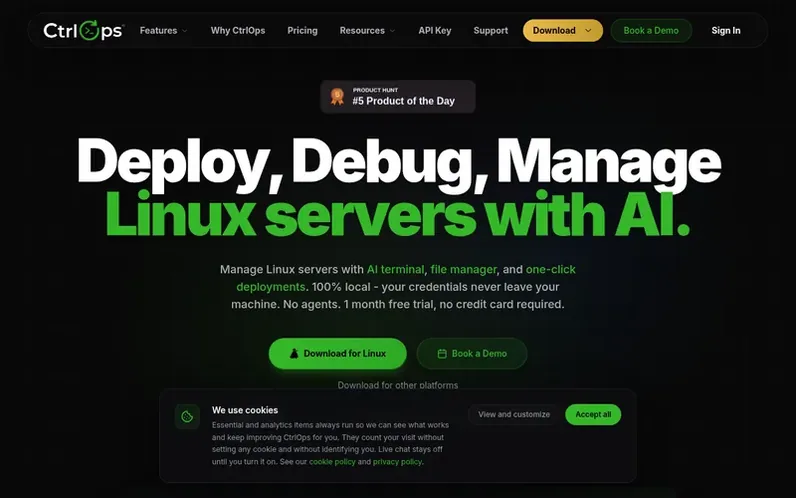
A look at ctrlops.io
CtrlOps is a native desktop application for managing Linux servers, offering multi-server SSH access, an AI-assisted terminal, visual file manager, real-time infrastructure monitoring, and single-click deployments. The application is designed with a local-first, privacy-focused architecture where all credentials and data remain on the user's machine with no cloud relay or telemetry.
The platform provides comprehensive server management capabilities including security audits (25 audits with hardening scores), access management to see and revoke user permissions, log management with search and tail functionality, and scheduled backups to S3. The AI terminal accepts plain English commands and requires user approval before execution, implementing a human-in-the-loop approach.
CtrlOps runs natively on macOS (Apple Silicon and Intel), Windows, and Linux. It supports unlimited servers per user with no per-node fees or agent licenses. The application includes features like PM2 process management, port forwarding, cron job scheduling, and file management with drag-and-drop support.
Feature notes
- AI-assisted terminal with plain English to shell command translation and approval-based execution
- Visual file manager with drag-and-drop upload, download, and unzip support over SSH
- Single-click deployment from GitHub with PM2, Nginx, and SSL automatically configured
- Security audits with 25 checks, hardening scores, and PDF reports
- Access management to scan and revoke user permissions across all servers
- Scheduled backups to S3 with execution monitoring
- PM2 process manager with restart, reload, and monitoring capabilities
- Log management with search, tail, and download functionality across all servers
Pricing
Pricing model: Freemium
Compare and explore
FAQ
- What can CtrlOps do?
- CtrlOps is a native desktop app for managing servers with multi-server SSH access, a visual file manager, real-time monitoring, single-click deployment, PM2 process management, access management, and an AI terminal that reviews every command before it runs. All features work locally with no cloud in between.
- Is CtrlOps really 100% local?
- Yes. CtrlOps runs entirely on your machine and connects directly to your servers over SSH. There is no cloud relay and no telemetry; your credentials and commands never leave your device.
- What does the 1-month free trial include?
- The free trial unlocks every Pro feature for a full month with no credit card required and no auto-charge at the end. You can connect real servers, run the AI terminal against production logs, and try one-click deployments before deciding on a paid plan.
- Which platforms does CtrlOps support?
- CtrlOps has native builds for macOS (Apple Silicon and Intel), Windows, and Linux.
- Can I cancel my subscription anytime?
- Yes. Cancelling stops future billing immediately. You keep full access to CtrlOps until the end of your current paid term, with your servers, AI history, and registry staying intact during that window.
Find CtrlOps online
Leave a review for CtrlOps
No reviews of CtrlOps yet. Run the first inspection.
Reviews are free and are never paid for. Open the reviews
Reviews and notes · Change log · Share the profile · Maker of this product? Claim the profile · Report a fault
CtrlOps has a free listing. The owner can unlock the full profile with a paid launch for $5:
- Founder story (locked)
- Milestones (locked)
- Demo video (locked)
- Dofollow website link (locked)
Comparable tools
- FeatureflipDR 18 · 0 community votes