Productivity & Personal Tools
Cockpit
Humanity's last productivity app
A to-do list that does itself. Every new item starts with Claude Code or Codex, and you work through it together with documents, code, and reports in one place.
Overview
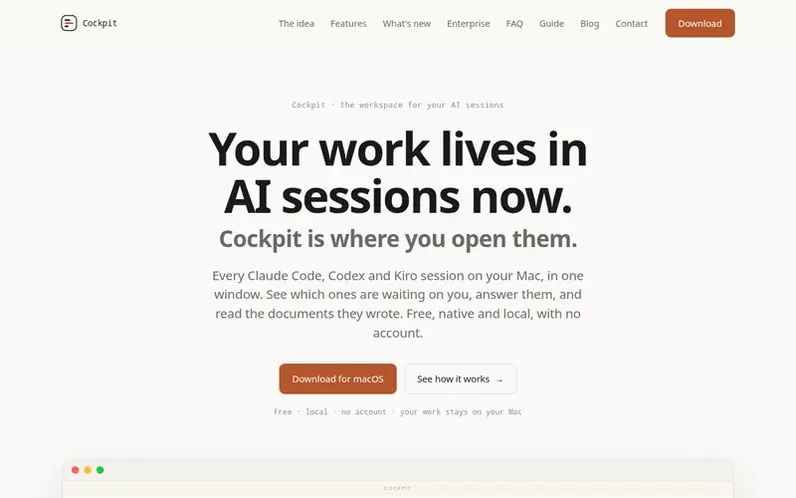
A look at aidash.dev
Cockpit is a productivity app that integrates AI agents into task management. Every new task starts with Claude Code or Codex running on it automatically. Users work through tasks together with the agent, accessing documents, code, reports, and company tools in one place while keeping the entire project history.
The app features an attention view that shows which tasks need user input, full version history for all agent-generated files, and the ability to comment, explain, or spin off new tasks from any passage. It includes support for rendering Word documents, web pages, and images as they should appear, with the ability to build custom viewers as plugins.
Cockpit runs locally on macOS with no server, no account, and no data leaving the user's machine except what goes to the model provider. It works with existing Claude Code or Codex setups and can be rolled out to teams safely.
Feature notes
- AI task initiation with Claude Code or Codex
- Attention view for tasks needing user input
- Full version history for agent-generated files
- Document rendering for Word, web pages, and images
- Comment, explain, or spin off workflows
- Task reminders with date and time
- Integration with company tools and connections
- Custom plugin support for document viewers
- Local operation with no cloud or server
Pricing
Free to download and use. No subscription or server costs. Users pay their model provider directly for Claude Code or Codex usage.
Compare and explore
FAQ
- Does Cockpit send my work to the cloud or store data on a server?
- No. Cockpit runs locally on your Mac with no server and no account. It reads tasks and documents on your machine and never sends their content anywhere. The only traffic that includes your work is what goes to your model provider directly.
- Can I turn off usage tracking?
- Yes. Anonymous usage counts are on by default but can be turned off for every machine with the environment variable COCKPIT_NO_TELEMETRY=1.
- Can I extend Cockpit with custom plugins?
- Yes. You can build your own plugins to teach Cockpit your internal document types, tools, and review flows. Plugins are documented, live outside the app, and can be checked against your real MCP servers before anyone runs them.
- Is there support for teams?
- Yes. Cockpit can be rolled out to a team safely since it runs on each person's Mac with no new data destinations. Support plans for companies are available, including direct support and plugin development for internal systems.
Leave a review for Cockpit
No reviews of Cockpit yet. Run the first inspection.
Reviews are free and are never paid for. Open the reviews
Reviews and notes · Change log · Share the profile · Maker of this product? Claim the profile · Report a fault
Cockpit has a free listing. The owner can unlock the full profile with a paid launch for $5:
- Founder story (locked)
- Milestones (locked)
- Demo video (locked)
- Dofollow website link: not on this free listing (its website link is nofollow)
Comparable tools
- TodoalDR 6 · 2 community votes
- WhiiteroomDR 4 · 1 community vote
- CuewakeDR 21 · 0 community votes
- ReadableResumeDR 62 · 0 community votes