Monitoring & uptime
ClerkWatch
Public record monitoring with change alerts for licensing, tenders, dockets, and more
ClerkWatch monitors public data sources and sends email alerts when licensing rules, tenders, court dockets, permits, and other public records change.
Overview
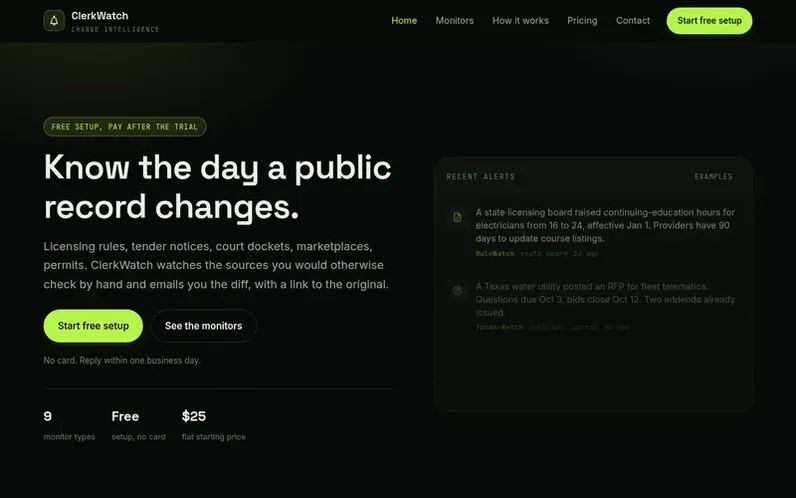
A look at clerkwatch.com
ClerkWatch watches public sources that you would otherwise check by hand—licensing boards, procurement portals, court dockets, marketplaces, and other public records—and emails you when changes occur. The service includes the diff, the effective date, and a link to the original record.
Setup is free and done by hand; you name the pages or sources you check manually, and the ClerkWatch team wires them up within about 48 hours. You receive real alerts for one week before any payment is required.
Nine monitor types cover different classes of public data: licensing and rules, tenders, court dockets, marketplaces, attack surface, auctions, patents and trademarks, permits, and grants. Plans start at $25 per month and include unlimited teammates, with no per-seat pricing or setup fees.
Feature notes
- Nine monitor types for different public record classes
- Free setup with one week of real alerts before payment
- Hand-wired source setup completed within about 48 hours
- Email alerts with diffs showing exactly what changed
- Unlimited teammates on all plans
- 30-day money back guarantee
- Human review queue to filter low-confidence changes
- Canary checks to detect when source monitoring breaks
Pricing
Pricing model: Paid
Starter: $25/mo (1 monitor, 3 source scopes, daily email digest). Growth: $39/mo (3 monitors, 15 source scopes, instant email alerts). Pro: $49/mo (all 9 monitors, 50 scopes, Slack, Telegram, webhooks, API and MCP access). All plans include free setup and 30-day money back guarantee.
Compare and explore
FAQ
- How does the setup process work?
- Setup is free and done by hand. You tell ClerkWatch what sources you check manually, and the team wires them up, usually within about 48 hours. You receive real alerts for one week before any invoice is issued.
- When do I pay for ClerkWatch?
- You pay only after you see real alerts for one week. Setup and the first week of monitoring are free. Your first invoice starts when you decide to keep the service.
- Does ClerkWatch monitor private or login-walled systems?
- Only systems you own and explicitly authorize in writing. ClerkWatch monitors public sources only and does not log into third-party systems that require login.
- What payment methods does ClerkWatch accept?
- ClerkWatch accepts cards through its payment processor. Invoicing is available for annual commitments, teams, and agency accounts.
- Is there a setup fee?
- No. Setup, source wiring, and onboarding are included in every plan at no additional charge.
Leave a review for ClerkWatch
No reviews of ClerkWatch yet. Run the first inspection.
Reviews are free and are never paid for. Open the reviews
Reviews and notes · Change log · Share the profile · Maker of this product? Claim the profile · Report a fault
ClerkWatch has a free listing. The owner can unlock the full profile with a paid launch for $5:
- Founder story (locked)
- Milestones (locked)
- Demo video (locked)
- Dofollow website link (locked)
Comparable tools
- VitalRixDR 0 · 0 community votes
- PingChangeDR 0 · 0 community votes
- Page DeltasDR 26 · 0 community votes
- Monity.aiDR 8 · 0 community votes