
Business intelligence
Bricks
AI data analyst that turns CSV and Excel data into beautiful dashboards and reports in seconds
An AI-powered platform that automatically creates professional dashboards and reports from CSV, Excel, and PDF data without requiring design or technical
Overview
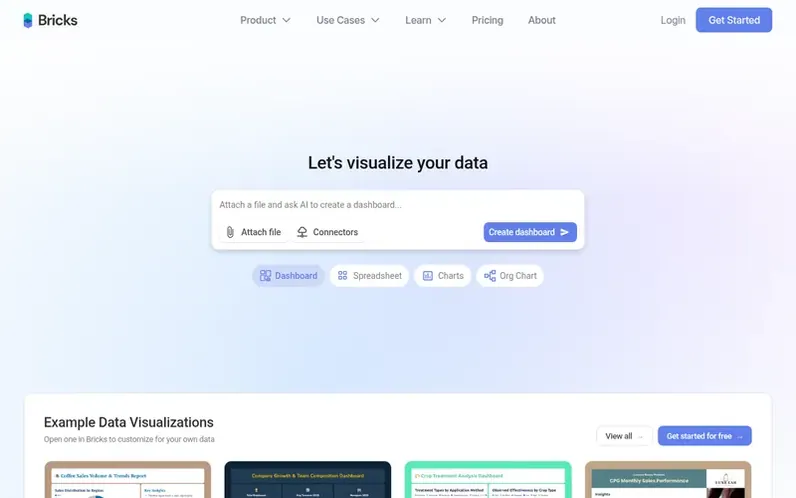
A look at thebricks.com
Bricks is an AI data analyst platform designed to make professional dashboard and report creation accessible to anyone. It automatically analyzes data from CSV, Excel, PDF, and PNG files to generate complete dashboards with charts, tables, and KPIs in 30-60 seconds. The platform offers a balance between AI automation and manual control, allowing users to customize every element using natural language prompts or drag-and-drop editing.
Unlike tools like Canva that lack data capabilities or Tableau and PowerBI that require extensive training, Bricks is designed specifically for the 99% of users working with smaller datasets who need beautiful dashboards quickly. It includes features like one-click dashboard refresh with new data, interactive filtering, reusable templates, professional themes, and export options to PDF, PowerPoint, HTML, and XLSX formats.
The platform prioritizes privacy and security, with data fully encrypted and never used for AI training. It supports team collaboration across all plans and includes connectors to popular data sources like Google Sheets, Excel, Notion, databases, CRM systems, and analytics tools.
Feature notes
- Automatic dashboard generation from CSV, Excel, PDF, and PNG files
- Export to PDF, PowerPoint, HTML, and XLSX formats
- Team collaboration with role-based access
- AI-generated insights and analysis for each visualization
Pricing
Pricing model: Freemium
Compare and explore
FAQ
- What is Bricks?
- Bricks is an AI data analyst that instantly creates beautiful dashboards and reports from CSV, Excel, or PDF data. You upload files and Bricks automatically generates professional charts, tables, and insights in seconds without requiring technical skills or manual design work.
- What are AI Messages and how do they work?
- AI Messages are how you interact with Bricks' AI. Each prompt or request counts as one message, whether you're asking Bricks to create dashboards, edit charts, add visualizations, or generate data insights. Once you reach your monthly limit, you cannot use AI features until your messages reset or you upgrade, though manual editing and sharing features remain available.
- How is Bricks different from Excel dashboards?
- Excel requires significant time and manual formatting work to create professional dashboards. Bricks uses AI to instantly generate polished dashboards in seconds, creating beautiful professional visualizations with built-in analysis and insights. You get the data rigor of Excel with modern design and AI automation that turns hours of work into minutes.
- How is Bricks different from Tableau and PowerBI?
- Tableau and PowerBI are powerful but overengineered for most users and require extensive training and expertise. Bricks is designed for the 99% of people working with smaller datasets who need beautiful dashboards quickly. You get professional results in seconds rather than hours, with an interface as simple as Canva but with strong data capabilities, no database knowledge or SQL required.
- Can I cancel my subscription at any time?
- Yes, Bricks subscription plans can be canceled at any time. You will retain access until the end of your billing cycle.
Leave a review for Bricks
No reviews of Bricks yet. Run the first inspection.
Reviews are free and are never paid for. Open the reviews
Reviews and notes · Change log · Share the profile · Maker of this product? Claim the profile · Report a fault
Bricks has a free listing. The owner can unlock the full profile with a paid launch for $5:
- Founder story (locked)
- Milestones (locked)
- Demo video (locked)
- Dofollow website link (locked)
Comparable tools
- IdeaCrystalDR 26 · 1 community vote
- SellerviewDR 46 · 1 community vote
- Taleshape™DR 38 · 0 community votes
- GoRulesDR 43 · 0 community votes