
Workflow automation
Automongo
Workflow automation templates and step-by-step guides
A curated library of workflow automation templates and guides for Zapier, Make, n8n, Airtable, Notion and Claude.
Overview
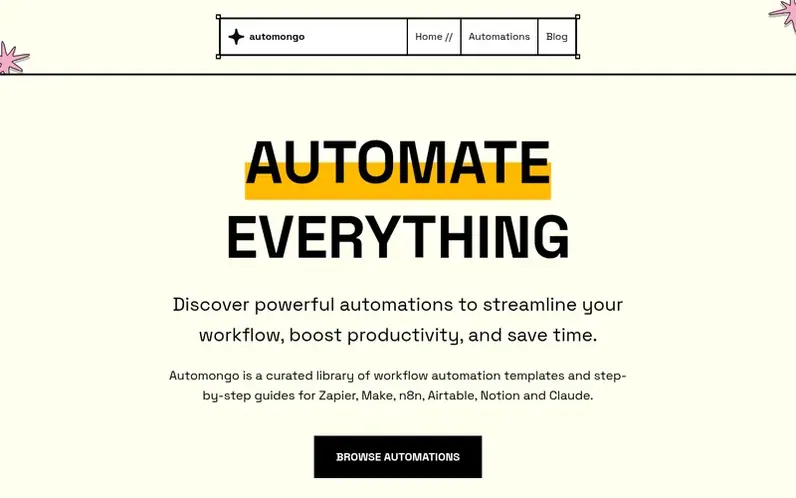
A look at automongo.com
Automongo is a curated library of workflow automation templates and step-by-step guides for Zapier, Make, n8n, Airtable, Notion and Claude. Each template explains what the workflow does, which tools it needs, how difficult it is and how to set it up. The templates are available for no-code platforms like Zapier and Make, as well as self-hosted solutions like n8n, and integrate with Airtable, Notion and Claude.
Users can browse automations across six tools, with each template providing numbered setup steps to connect accounts, map fields, and test with sample data. Most templates are labelled Beginner or Intermediate and require no coding knowledge, though Advanced templates may involve webhooks, APIs or small code steps.
Feature notes
- Curated library of automation templates
- Step-by-step setup guides for each template
- Templates for Zapier, Make, n8n, Airtable, Notion and Claude
- Filter by tools and stack
- Beginner and Intermediate difficulty labels
- 18 automation templates available
Compare and explore
FAQ
- What is Automongo?
- Automongo is a curated library of workflow automation templates and step-by-step guides for Zapier, Make, n8n, Airtable, Notion and Claude. Each template explains what the workflow does, which tools it needs, how difficult it is and how to set it up.
- Which automation tools do the templates cover?
- Templates cover Zapier, Make (formerly Integromat), n8n, Airtable, Notion and Claude. Every template lists the exact tools it needs, so you can filter the library by the stack you already use.
- Do I need to know how to code to use these automations?
- No. Most templates are no-code and labelled Beginner or Intermediate. Advanced templates may involve webhooks, APIs or small code steps, and say so up front.
- How do I set up an automation template?
- Open a template, check the tools it requires, then follow its numbered setup steps: connect your accounts, map the fields, and run a test with sample data before switching the workflow on.
- Should I use Zapier, Make or n8n?
- Choose Zapier if you want the fastest no-code setup and the widest app catalogue. Choose Make if you need visual, multi-step scenarios with branching and data transformation. Choose n8n if you are a technical team that wants to self-host, keep control of your data or add custom code.
Leave a review for Automongo
No reviews of Automongo yet. Run the first inspection.
Reviews are free and are never paid for. Open the reviews
Reviews and notes · Change log · Share the profile · Maker of this product? Claim the profile · Report a fault
Automongo has a free listing. The owner can unlock the full profile with a paid launch for $5:
- Founder story (locked)
- Milestones (locked)
- Demo video (locked)
- Dofollow website link: not on this free listing (its website link is nofollow)