
Mac & desktop utilities
Simple Camera App
Test every connected webcam before a call
A desktop app to test webcams, preview live feeds, and check supported resolutions and frame rates on macOS, Windows, and Linux without uploading video.
Overview
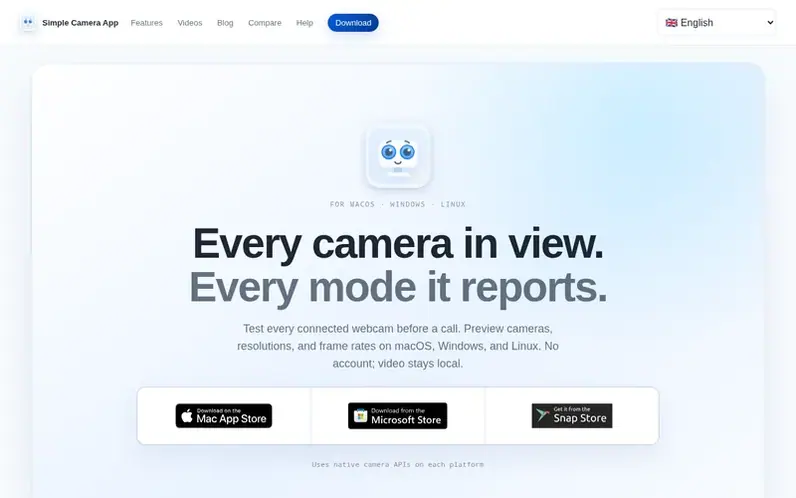
A look at simplecamera.app
Simple Camera App helps users test connected webcams before calls, recordings, or streams. It discovers all connected cameras including built-in FaceTime cameras, USB webcams, and iPhones via Continuity, displays them in a single list, and opens live previews on the user's computer. The app shows every resolution and frame-rate combination each camera reports, not just the modes exposed by browsers or other applications.
Video stays local and is never recorded, uploaded, or transmitted. Free lets users discover cameras and use one camera at a time in its default mode. Pro is a one-time purchase that unlocks simultaneous camera windows and the ability to select from all reported resolution and frame-rate modes. The app runs natively on macOS, Windows, and Linux, matching each platform's conventions for menus and windows.
Feature notes
- Discover all connected cameras including built-in, USB, and iPhone via Continuity
- Live camera previews stay on your computer
- Shows every resolution and frame-rate combination each camera reports
- Match window numbers to camera list for easy identification
- Free plan for single camera testing in default mode
- Pro plan for simultaneous camera windows and mode selection
- Uses native camera APIs on each platform
- Clear recovery when cameras change or unavailable
- Matches system, light, and dark mode themes
- No account, no recording, no uploads, no analytics
Pricing
Pricing model: Freemium
Free includes one camera window in default mode. Pro is a one-time purchase (pricing not specified on the site).
Compare and explore
FAQ
- What can I use Simple Camera App for?
- Simple Camera App helps you test webcams before calls, recordings, classes, or streams. You can discover connected cameras, check framing privately, inspect the exact resolutions and frame rates each camera supports, and preview live feeds to confirm the camera is working properly.
- Does my camera video get recorded or uploaded?
- No. During ordinary camera use, video is processed in memory on your computer. Simple Camera App does not record, save, upload, or transmit the feed or audio, and adds no account, advertising, or usage analytics.
- What is the difference between Free and Pro?
- Free lets you discover every connected camera and use any one camera at a time in its device-default mode. Pro is a one-time purchase that unlocks simultaneous camera windows and the ability to choose from every resolution and frame-rate mode each camera reports.
- What do resolution, FPS, and device default mean?
- Resolution is the frame size, such as 1920 × 1080. FPS (frames per second) is how many frames the camera captures per second; higher values can make movement look smoother. Device-default mode is the active default resolution and frame rate reported by the operating system and camera driver.
- What should I do if a camera is missing or unavailable?
- Check the cause shown by the app. If permission is denied, grant Simple Camera App camera access in your operating system's privacy settings. If the camera is disconnected, reconnect it and select Discover Cameras. If another app has exclusive use, close that app first. For other issues like format unavailable or feed interrupted, try returning to a supported resolution or retrying after reconnecting the device.
Find Simple Camera App online
Leave a review for Simple Camera App
No reviews of Simple Camera App yet. Run the first inspection.
Reviews are free and are never paid for. Open the reviews
Reviews and notes · Change log · Share the profile · Maker of this product? Claim the profile · Report a fault
Simple Camera App has a free listing. The owner can unlock the full profile with a paid launch for $5:
- Founder story (locked)
- Milestones (locked)
- Demo video (locked)
- Dofollow website link (locked)
Comparable tools
- SnapShield AIDR 0 · 0 community votes
