
Developer Tools
Rig
Local development process manager for Mac and Windows with live logs, ports, and MCP integration for AI editors
Desktop app for Mac and Windows that runs, watches and restarts local development processes with unified logs, port management, and a local MCP hub for AI
Overview
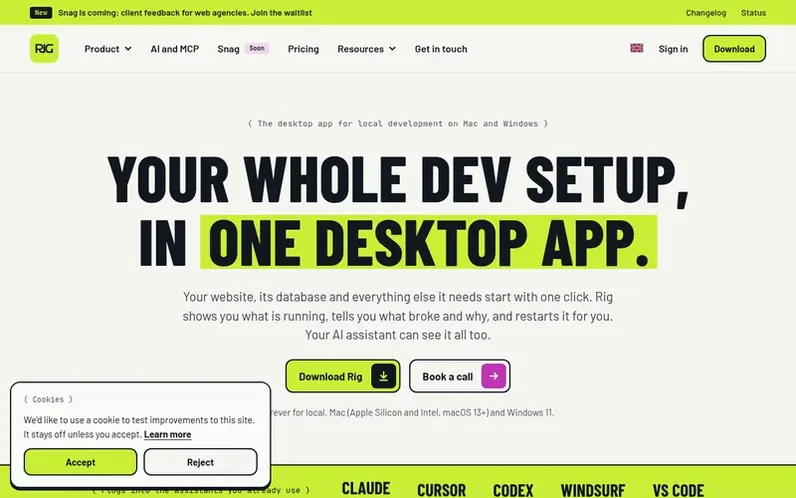
A look at userig.app
Rig is a desktop control plane for local development on Mac and Windows. It discovers, starts, stops, and watches every process in your project from one window, grouping scripts, Procfiles, Laravel artisan sidecars, and managed databases, while streaming their logs together and managing ports. A local MCP hub lets AI editors like Cursor, Claude, Codex, Windsurf, and VS Code read health, logs, and ports, and restart crashed services. Your source code stays on your computer; optional Rig Cloud syncs preferences and encrypted backups across machines without uploading the repository. The desktop app is free forever on the Hobby plan for Mac (Apple Silicon and Intel, macOS 13 or later) and Windows 11.
Feature notes
- Unified live logs and port management
- Local MCP hub with 95 scoped tools for Cursor, Claude, Codex, Windsurf, and VS Code
- WordPress support with isolated MySQL and local HTTPS
- Live Link previews for sharing on LAN QR or branded links
- Multi-machine Continuity backups and encrypted cloud sync
- Laravel and Valet integration
Pricing
Pricing model: Freemium
Hobby: free forever (1 Mesh machine, 5 GB relay per month). Pro: $15/month or $144/year (5 machines, 25 GB relay). Team: $25/seat/month or $240/year (10 machines per seat pooled, 75 GB relay per seat pooled). Agency: $149/month or $1,430/year with 3 seats included, extra seats $25/month. Extra machi
Compare and explore
FAQ
- What is Rig?
- Rig is a process manager for local development on Mac and Windows that starts, stops, and watches the processes in a project—including scripts, Procfiles, logs, and ports—on a Mac (Apple Silicon or Intel) or Windows PC.
- Does my source code leave my computer?
- No. Your source code stays on your computer. Optional Rig Cloud syncs preferences, project groups, and encrypted Continuity backups but does not upload the repository.
- What does Rig cost?
- Rig is free on your computer forever on the Hobby plan. Paid Mesh plans include Pro at $15 a month, Team at $25 a seat, and Agency at $149 a month with 3 seats. Yearly billing saves 20%.
- Will the free tier disappear?
- No. Rig stays free on your computer forever. You only pay for Mesh, because extra machines and relay bandwidth cost real money.
- Which coding agents does Rig work with?
- Rig works with any agent that speaks MCP, including Claude Code, Cursor, Codex, Windsurf, GitHub Copilot and Gemini, on every plan.
Find Rig online
Leave a review for Rig
No reviews of Rig yet. Run the first inspection.
Reviews are free and are never paid for. Open the reviews
Reviews and notes · Change log · Share the profile · Maker of this product? Claim the profile · Report a fault
Rig has a free listing. The owner can unlock the full profile with a paid launch for $5:
- Founder story (locked)
- Milestones (locked)
- Demo video (locked)
- Dofollow website link (locked)
Comparable tools
- LogoRRRDR 17 · 0 community votes
- Developer Tool BoxDR 0 · 0 community votes
- LinkMeshDR 1 · 0 community votes
- SentnlDR 2 · 0 community votes