
Web hosting
Oxyforge
Managed WordPress hosting on Google Cloud in Singapore with built-in caching, daily backups, and one-click staging
Managed WordPress hosting running on Google Cloud servers in Singapore with automatic caching, daily backups, staging, and support from the platform's builders.
Overview
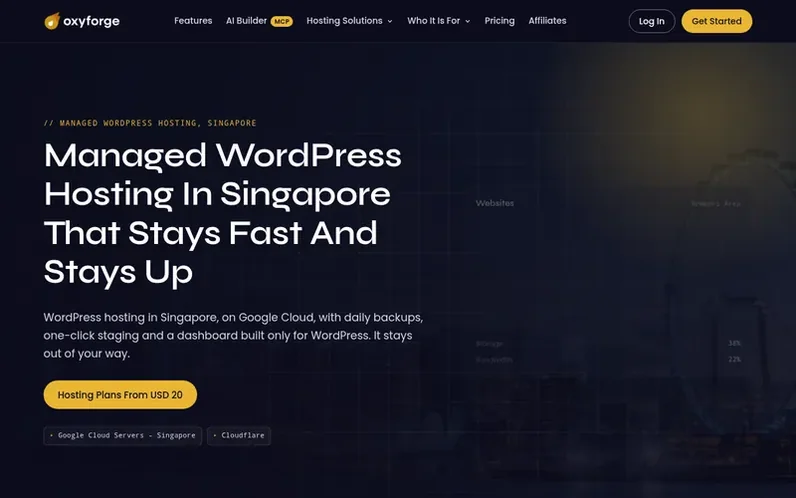
A look at oxyforge.com
Oxyforge is managed WordPress hosting built and run in Singapore, running on Google Cloud with Cloudflare in front for global visitors. The platform includes full-page caching built in and cleared automatically, daily backups kept for 30 days and restorable in one click, one-click staging to test changes before going live, and a dashboard built specifically for WordPress. Each website runs in its own isolated container with its own system user. The service includes free SSL certificates, Cloudflare CDN and DDoS protection, nightly malware scans, SFTP and WP-CLI access, and support from the team that built the platform. Oxyforge is for WordPress only, and deliberately does not host email mailboxes, provide root access, or host anything other than WordPress sites.
Feature notes
- Full-page caching built in and automatically cleared on publish
- 30 daily backups kept for a month, restorable in one click
- One-click staging to test changes before going live
- Isolated container per website with separate system user
- Free SSL certificate and automatic renewal
- Cloudflare CDN and DDoS protection included
- SFTP and WP-CLI access on every plan
- Nightly malware scans of all files
- WordPress site creation in under 37 seconds
- AI Builder to create WordPress sites via Claude, ChatGPT or Cursor
Pricing
Pricing model: Paid
Compare and explore
FAQ
- Is Oxyforge only for WordPress?
- Yes. Every part of the platform, from the cache to the dashboard, is built for WordPress and nothing else. If you run a static HTML site, a Laravel or Node application or anything else, Oxyforge is the wrong host.
- Where are the servers located?
- Google Cloud in Singapore, with Cloudflare in front for the rest of the world. If most of your visitors are in Singapore, Malaysia or the wider region, this is the fastest place your site can sit.
- How do I move an existing site to Oxyforge?
- Create a website here, then bring your files and database across with a migration plugin such as All-in-One WP Migration, Duplicator or Migrate Guru, or by hand over SFTP and WP-CLI. The copy is built and tested on a temporary address while your old host stays live, and you change DNS when it is right.
- Can I try Oxyforge before paying?
- Yes. A free account can create one temporary website that lives for 24 hours on the real platform with the same servers, dashboard and container setup. No card is needed, and you can create another once it expires.
- What happens if I need more resources than my plan allows?
- You can move up to a higher plan at any time. Open a ticket from the members area and the team moves you; your sites, domains and backups stay where they are. Card payments and self-service plan changes are coming.
Leave a review for Oxyforge
No reviews of Oxyforge yet. Run the first inspection.
Reviews are free and are never paid for. Open the reviews
Reviews and notes · Change log · Share the profile · Maker of this product? Claim the profile · Report a fault
Oxyforge has a free listing. The owner can unlock the full profile with a paid launch for $5:
- Founder story (locked)
- Milestones (locked)
- Demo video (locked)
- Dofollow website link (locked)
Comparable tools
- Zinn Digital®DR 72 · DA 17 · 1 community vote
- JetNodeDR 31 · 0 community votes