
Form backends
FormFlux
Build forms. Share them. Get responses. That's it.
A simple form builder where you create forms, send them to people, collect responses, and download your data without unnecessary features.
Overview
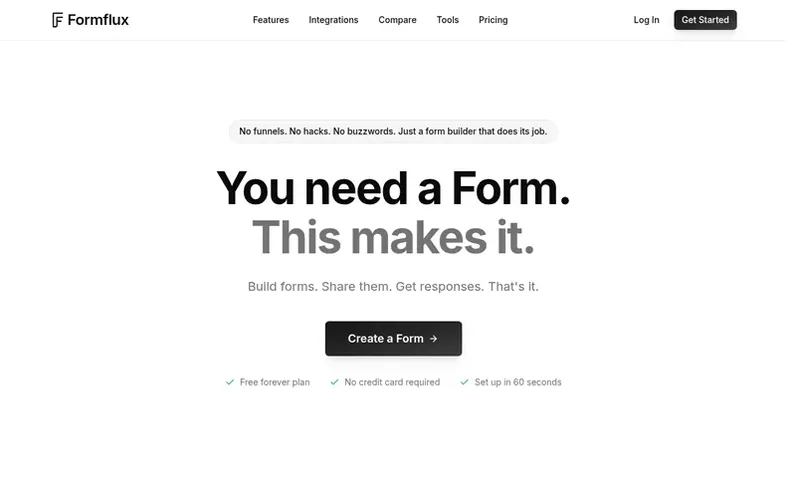
A look at formflux.io
FormFlux is a straightforward form builder that lets you create forms, share them with others, and collect responses. The platform works on both desktops and phones, offering two display modes: standard forms showing everything on one page, or conversational mode presenting one question at a time. You can build forms from scratch using drag-and-drop, describe what you need for AI generation, or start from templates. The tool includes analytics to track views, starts, submissions, completion rates, and drop-off by question, plus integrations with services like Zapier, Google Sheets, Slack, and Calendly. Forms can be shared via link or QR code, or embedded on websites in various formats.
Feature notes
- Drag and drop form builder with live preview
- AI form generation from text descriptions
- Form analytics with drop-off tracking by question
- 21 themes with customizable colors and fonts
- Payment collection through Stripe on Pro plan and above
- Multi-language support with AI translation
Pricing
Free plan with unlimited forms and responses. Starter at $19/month with 50 AI credits and 1 seat. Pro at $29/month with 150 AI credits and 3 seats. Business at $79/month with 500 AI credits and 10 seats. Lifetime Pro at $199 one-time. AI credit top-ups available at $10 for 25 credits.
Compare and explore
FAQ
- How does AI form generation work?
- You describe what kind of form you need in plain language, and FormFlux's AI automatically creates the form with appropriate field types, labels, and validation. You can refine it through chat or edit it manually in the builder.
- What is the difference between the paid plans?
- Starter gets 50 AI credits per month and 1 seat. Pro gets 150 credits, 3 seats, and can collect payments through Stripe. Business gets 500 credits, 10 seats, and payment collection. Starter cannot collect payments.
- Can I embed FormFlux forms on my website?
- Yes. You can embed forms as inline directly in the page, popup as a modal overlay, or slider as a side panel. You can also share forms via direct link or QR code.
- What integrations does FormFlux support?
- Every paid plan includes Zapier (5,000+ apps), Google Sheets, Slack, Calendly, Cal.com, Google Tag Manager, webhooks, email notifications, and auto-responders.
- How does the AI credit system work?
- Starter includes 50 AI credits per month, Pro includes 150, and Business includes 500. Credits are spent when you generate a form with AI, refine it, or translate it, and they refresh each billing cycle. You can buy credit top-ups at $10 for 25 credits, valid 30 days.
Leave a review for FormFlux
No reviews of FormFlux yet. Run the first inspection.
Reviews are free and are never paid for. Open the reviews
Reviews and notes · Change log · Share the profile · Maker of this product? Claim the profile · Report a fault
FormFlux has a free listing. The owner can unlock the full profile with a paid launch for $5:
- Founder story (locked)
- Milestones (locked)
- Demo video (locked)
- Dofollow website link (locked)
Comparable tools
- SmartForm AIDR 0 · 0 community votes
- CrispFormsDR 33 · 0 community votes
- SiliFormDR 13 · 0 community votes
- PixelVerse FormsDR 28 · 0 community votes