PDF & screenshot APIs
DocSpring
PDF filling, document generation, and e-signature API
DocSpring automates document generation by turning PDFs, Word documents, page designs and HTML templates into APIs that accept JSON data and return filled
Overview
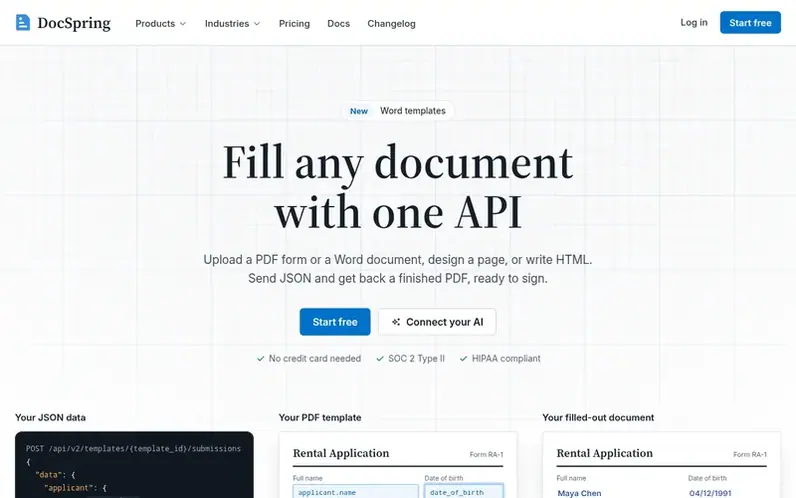
A look at docspring.com
DocSpring is an API platform for automating document generation and collection. Upload a PDF form or Word document, design a page, or write HTML templates, then send JSON data to fill documents automatically. The platform supports batch generation, e-signatures with audit trails, web forms for data collection, and embedding the template editor in your own application. DocSpring includes SDKs in ten languages and integrates with platforms like Zapier, Make, and n8n. It is SOC 2 Type II audited, HIPAA compliant, and offers US and EU data hosting options.
Feature notes
- PDF form filling with automatic field detection
- HTML and CSS template support with Liquid templating
- Electronic signatures with audit trails and email reminders
- Batch document generation up to 50 documents per request
- SDKs in ten languages including TypeScript, Python, Ruby, PHP, Java, Go
- Webhook notifications when documents complete
- Web forms for data collection and document generation
Pricing
Pricing model: Freemium
Free Developer plan with 200 credits monthly; Starter from $49/month with 10,000 credits; Growth from $149/month with 50,000 credits; Scale from $399/month with 200,000 credits; Enterprise custom pricing. Credits roll over for 12 months on paid plans. Filled PDF form costs 20 credits, PDF from HTML
Compare and explore
FAQ
- What does DocSpring do?
- DocSpring automates documents. You can upload a PDF and use the visual template editor to place fields on it, upload a Word document with tags, build a new PDF in the Page Designer, or write a template in HTML and CSS. Send data to the API and it returns a link to download the finished document as a PDF or Word file.
- Does DocSpring support electronic signatures?
- Yes. You send a signature request and DocSpring emails each signer a link to sign, can send reminders, and emails everyone the signed PDF once all have signed. You can also embed the signing form in your app and send your own emails.
- Is DocSpring secure enough for financial, insurance, and healthcare documents?
- DocSpring is SOC 2 Type II audited, GDPR and HIPAA compliant, and you can keep data in the US or EU. Business Associate Agreements (BAAs) are signed on every paid plan including Starter, but not on the free Developer plan.
- Is there a free trial?
- Yes. The Developer plan is free, with 200 credits every month, and you can try any paid plan's features free for 14 days. A trial uses the free plan's credits: subscribe at any time to get your plan's monthly credits. No credit card is required.
- What happens if I run out of credits?
- Live PDFs wait for credits and are processed automatically when you add them. The API returns HTTP 402, with the submission in the insufficient_credits state. Anything still waiting after 30 days isn't processed. Test PDFs keep working. Turn on automatic top-up to buy a credit pack whenever your balance runs low, with an optional monthly spending cap.
Leave a review for DocSpring
No reviews of DocSpring yet. Run the first inspection.
Reviews are free and are never paid for. Open the reviews
Reviews and notes · Change log · Share the profile · Maker of this product? Claim the profile · Report a fault
DocSpring has a free listing. The owner can unlock the full profile with a paid launch for $5:
- Founder story (locked)
- Milestones (locked)
- Demo video (locked)
- Dofollow website link (locked)
Comparable tools
- AIIPWorldDR 0 · 0 community votes