
File converters
BulkPixel
Free batch image converter for Mac that processes images locally
BulkPixel is a free, open-source macOS app for batch converting, resizing, and automating image processing locally without uploading to online services.
Overview
A look at oliverjessner.at
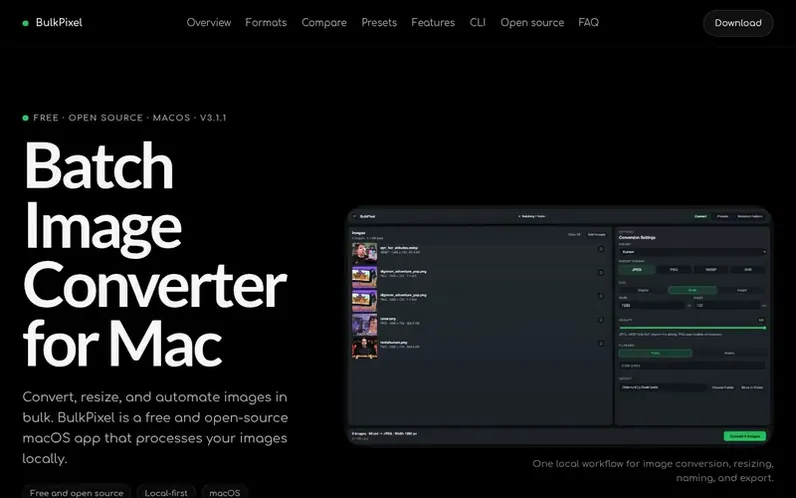
BulkPixel is a free, open-source batch image converter for macOS that enables local image processing without uploading to cloud services. The application converts and resizes multiple images at once, supporting import of JPEG, PNG, WebP, AVIF, SVG, HEIC, and HEIF files, with export to JPEG, PNG, WebP, or AVIF formats.
The tool offers reusable Presets to save complete conversion workflows, Watched Folders for automatic processing of new images, and includes a command-line interface using the same conversion pipeline as the desktop app. Users can define target width or height while preserving aspect ratios, adjust quality settings, add filename prefixes or postfixes, and review image properties through the Image Inspector before export.
BulkPixel is designed for repetitive image workflows and is available under the MIT license with full source code on GitHub. The application processes images locally on the Mac, eliminating the need for online conversion services.
Feature notes
- Batch conversion of multiple images at once
- Support for JPEG, PNG, WebP, and AVIF export formats
- Import HEIC and HEIF files on macOS
- Reusable conversion presets
- Watched Folders for automatic processing
- Local image processing without cloud uploads
- Command-line interface for scripted workflows
- Image Inspector for metadata and dimensions
- Automatic aspect ratio preservation when resizing
- Filename prefix and postfix controls
Pricing
Pricing model: Free
Compare and explore
FAQ
- Is BulkPixel free?
- Yes. BulkPixel is free and open source under the MIT license.
- Does BulkPixel work offline?
- Yes. Image conversion happens locally on your Mac and does not require uploading your images to a conversion service.
- Which image formats does BulkPixel support?
- BulkPixel can import JPEG, PNG, WebP, AVIF, SVG, HEIC, and HEIF files. It can export JPEG, PNG, WebP, and AVIF.
- Can BulkPixel convert multiple images at once?
- Yes. BulkPixel is designed for batch image conversion and applies the selected output settings to every image in the batch.
- Can BulkPixel automatically convert new images in a folder?
- Yes. Watched Folders can apply saved Presets automatically when matching files are added while BulkPixel is running.
Find BulkPixel online
Leave a review for BulkPixel
No reviews of BulkPixel yet. Run the first inspection.
Reviews are free and are never paid for. Open the reviews
Reviews and notes · Change log · Share the profile · Maker of this product? Claim the profile · Report a fault
BulkPixel has a free listing. The owner can unlock the full profile with a paid launch for $5:
- Founder story (locked)
- Milestones (locked)
- Demo video (locked)
- Dofollow website link (locked)
Comparable tools
- ConvertanyDR 21 · 0 community votes