AI search visibility
aivisibilityskill
See what ChatGPT, Google AI and other engines say about your brand, and fix it
An API and tool that shows what AI engines say about your brand and helps you fix it, with SDKs for TypeScript and Python.
Overview
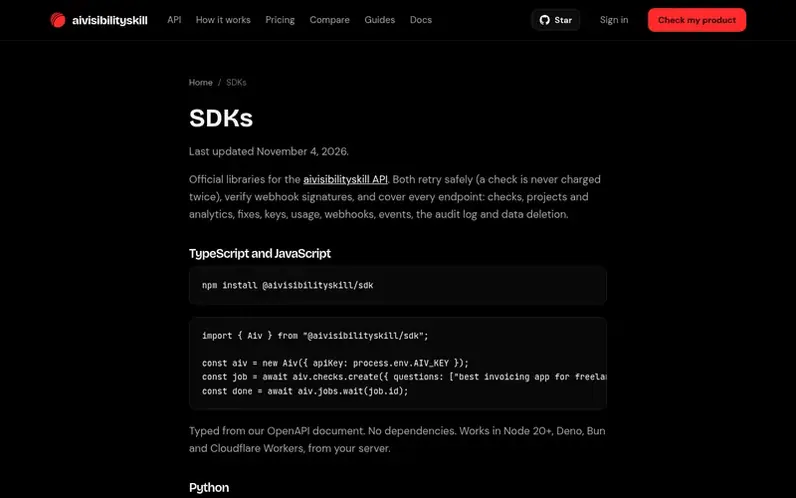
A look at aivisibilityskill.com
aivisibilityskill is an AI visibility API and tool for teams building AI visibility products and for founders. Teams use the API to retrieve what ChatGPT, Gemini, Google's AI and five more engines answer about any brand or product. Founders can use it in the browser or through their coding agent to see what AI says about their product, fix any issues, and verify the fix worked.
Every AI answer is stored with the engine's raw response and a SHA-256 hash for verification. The service asks each engine multiple times to show rates, since answers vary between runs. Work that fails is not charged, and every paid step shows its price first.
Official SDKs are available for TypeScript and Python, with safe retries that prevent double-charging, webhook signature verification, and coverage for all endpoints including checks, projects, analytics, fixes, keys, usage, webhooks, events, the audit log and data deletion.
Feature notes
- TypeScript and JavaScript SDK with typed interfaces
- Python 3.9+ SDK with one dependency
- Safe retries that never charge twice
- Webhook signature verification
- SHA-256 hash verification for AI responses
- Multiple engine support: ChatGPT, Gemini, Google AI, Perplexity, Claude, Grok and DeepSeek
- Connected agent support for Claude Code, Cursor and Codex
- MCP server integration
- Full API endpoint coverage for checks, projects, analytics and more
Pricing
Pricing model: Free trial
Free trial with 500 free credits, no card required. Pay-per-use model based on credits.
Compare and explore
FAQ
- What SDKs are available?
- Official SDKs are available for TypeScript and JavaScript (npm install @aivisibilityskill/sdk) and Python (pip install aivisibilityskill). Both support all endpoints and include safe retries and webhook verification.
- How do I connect a coding agent?
- Sign in to the console, open Overview, and follow the command for Claude Code and Codex or use the MCP URL https://mcp.aivisibilityskill.com/mcp for other MCP clients. Your agent opens a browser so you can sign in and approve the connection.
- How can I verify webhook signatures?
- Pass the body exactly as received and use the webhook verification function provided in the SDKs. Signatures follow Standard Webhooks, so any library for it also works.
- How do I remove a connected agent?
- Open Connected apps in the console and disconnect the app. Its access ends immediately.
- How does billing work?
- You pay based on credits used. New accounts have a spending limit for their first 7 days. Use Manage billing on the Billing page for invoices, payment details and to cancel a plan.
Leave a review for aivisibilityskill
No reviews of aivisibilityskill yet. Run the first inspection.
Reviews are free and are never paid for. Open the reviews
Reviews and notes · Change log · Share the profile · Maker of this product? Claim the profile · Report a fault
aivisibilityskill has a free listing. The owner can unlock the full profile with a paid launch for $5:
- Founder story (locked)
- Milestones (locked)
- Demo video (locked)
- Dofollow website link (locked)
Comparable tools
- AI VISIBILITYDR 0 · 0 community votes
- CreaitorDR 56 · 0 community votes
- SensoDR 41 · 0 community votes
- Astiva AIDR 14 · 0 community votes