Business intelligence
Agile Analytics
Azure DevOps analytics with sprint metrics, flow analysis, and Monte Carlo forecasting
An Azure DevOps extension providing sprint health metrics, flow analytics, cycle time analysis, DORA metrics, and Monte Carlo forecasting for team delivery
Overview
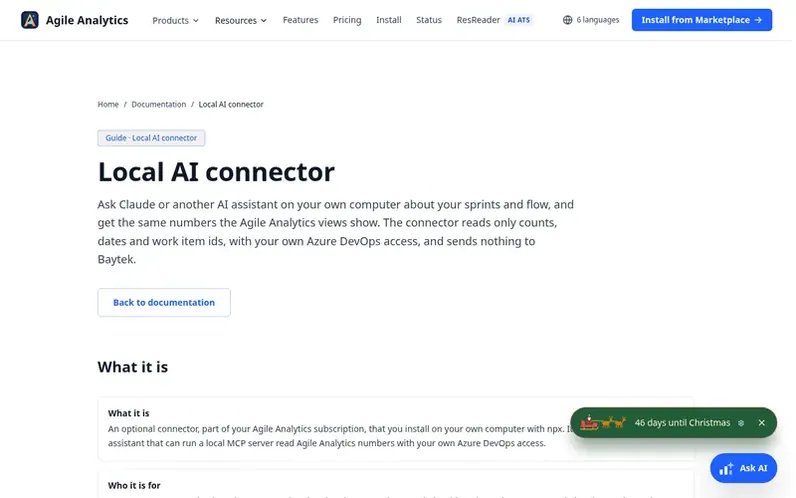
A look at ado-analytics.baytekdev.com
Agile Analytics is an Azure DevOps extension that provides native sprint and flow intelligence for software delivery teams. It includes Monte Carlo forecasting to predict delivery timelines, flow metrics and cycle time analysis to identify bottlenecks, WIP monitoring and aging work tracking, DORA metrics for deployment performance, and executive reports. All metrics are calculated directly from Azure DevOps work items in the browser, with no external analytics backend. Teams can configure workflow mappings, set service level expectations, and access 30+ views across sprint health, flow analysis, portfolio analytics, and operational controls.
Feature notes
- Flow efficiency and WIP monitoring across workflow stages
- Process Behavior Chart (Wheeler XmR / SPC) and Cumulative Flow Diagram
- Service level expectation (SLE) violation tracking and alerts
- CSV, Markdown and PNG exports with print-ready executive reports
- Local AI connector for Claude and other MCP-compatible AI assistants
Pricing
Pricing model: Freemium
30-day free trial with full access, then Team plan $300/year (2 seats), Business plan $1,200/year (6 seats), or Premium plan $2,000/year (unlimited seats). All plans include every feature for one Azure DevOps organisation, billed annually through Stripe.
Compare and explore
FAQ
- How does the pricing work?
- Agile Analytics is licensed per Azure DevOps organisation with three annual plans: Team at $300/year with 2 seats, Business at $1,200/year with 6 seats, and Premium at $2,000/year with unlimited seats. All plans include every feature. Every organization gets a 30-day free trial before any payment, with no credit card required.
- What is the local AI connector and who is it for?
- The local AI connector is an optional add-on that lets Claude or another AI assistant supporting local MCP servers read Agile Analytics metrics directly from your Azure DevOps organization with your own access credentials. It is designed for Scrum Masters, team leads and managers who want their AI assistant to use the same numbers the Agile Analytics views show instead of guessing.
- Does the local AI connector send data to Baytek?
- No. The connector runs on your own computer, reads only counts, dates and work item IDs with your own Azure DevOps access, and sends nothing to Baytek. There is no licence check and no telemetry data collected.
- Can an admin disable the local AI connector?
- Yes. An organisation admin can turn the connector off for everyone in Configuration → General with the Allow the local AI connector switch, and each change is recorded in the Admin activity log. The connector checks this switch before every answer and replies disabled by admin when it is off.
- What counts as a seat?
- A seat is an assigned place on your plan. Your extension admin assigns people in Configuration → Access Control; assigned users, including admins, each hold one seat. The Team plan includes 2 seats, Business includes 6, and Premium is unlimited. You can swap seats at any time by removing someone and assigning someone else. During the trial there are no seats: everyone in your organisation has full access.
Leave a review for Agile Analytics
No reviews of Agile Analytics yet. Run the first inspection.
Reviews are free and are never paid for. Open the reviews
Reviews and notes · Change log · Share the profile · Maker of this product? Claim the profile · Report a fault
Agile Analytics has a free listing. The owner can unlock the full profile with a paid launch for $5:
- Founder story (locked)
- Milestones (locked)
- Demo video (locked)
- Dofollow website link (locked)
Comparable tools
- IdeaCrystalDR 27 · 1 community vote
- SellerviewDR 46 · 1 community vote
- StoreOppsDR 4 · 0 community votes
- OzaniX PulseDR 5 · 0 community votes